
Your earbuds take notes.
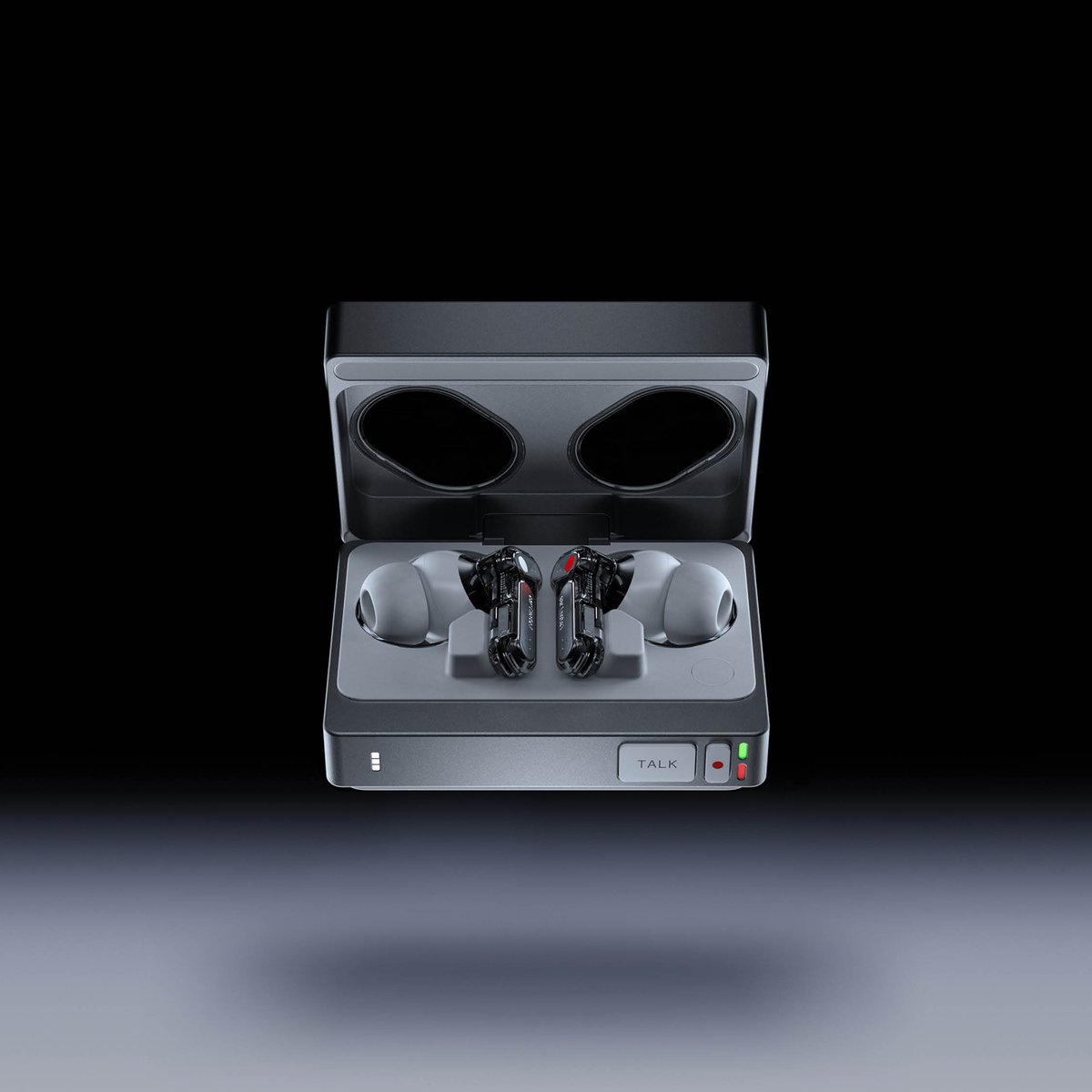
Nothing is turning its earbud case into a meeting recorder. The promise is useful; the harder questions are accuracy, consent and whether the workflow saves more time than it creates.
A meeting assistant that lives in your pocket is becoming one that lives in your ear. That could make capture easier—but a transcript is not the same thing as a reliable record.
The earbuds and recording case are announced for December 8. Nothing says the buds can record calls and the case can record meetings; its CEO says the system is intended to transcribe and give an AI agent context to draft documents, emails and tasks. These are company claims about an unreleased product, not results we have tested.[1][2]
The Verge’s November 25 report confirms the case’s Record button and describes app-managed transcripts and AI summaries. Nothing has not stated a price in sources checked, and no independent review of recording or summary quality is available before launch.[3]
is the one you can
trust later.
Capture is easy. Good records take work.
Recording is only the first step. A useful meeting note should distinguish what was actually said from a model’s interpretation, preserve names and numbers, identify uncertain transcription, and make it easy to check a summary against the source. Nothing has not yet demonstrated those results in a product reviewers can test.
There is also a people problem, not just a product problem. Before recording a call or meeting, tell participants, get the consent required for that situation, and follow workplace policy and local law. Keep sensitive conversations out of a new recording service until you understand where audio and transcripts are stored, who can access them, and how deletion works. None of those details is established by the announcement we checked.
JUFU inference: Treat the first release as a capture experiment, not an autonomous secretary. If you try it after launch, compare its transcript and summary with your own notes on a low-stakes meeting. Correct errors before forwarding anything or turning a suggested task into an assignment.

Make the first trial boring.
Ask before recording.
Explain what is captured and where notes may go; skip it if anyone is uncomfortable.
Choose a low-stakes meeting.
Write a few notes yourself so you have something real to compare.
Audit names, dates and decisions.
Correct the transcript and confirm each action with the people involved.
Keep the human approval step.
Do not let an unreviewed summary send an email, assign work or become the official record.
Robots copy motion; phones guide the camera.
Unitree Guardian V3.0: the company claims up to 99.8% synchronization and minimum 80 ms delay for full-body teleoperation. ShiftAINews notes the announcement gives no metric definitions or test conditions. Unitree calls for safe, friendly use; a demo does not prove reliability, safety or commercial readiness.[4][5]  Official video thumbnail; credit: Unitree Robotics, from the company’s announcement.
Gemini Live Guided Vision on iOS: Google says iPhone users can share their camera in Live for real-time on-screen guidance. Gadgets360 reports that it can describe what the camera sees and suggest repositioning, but country and iOS requirements were not stated in that report. We have not tested availability or accuracy; treat it as assistance to check, not a substitute for your own judgment.[6][7]
JUFU inference: Across all three launches, the practical question is not whether AI can capture or interpret more of the world. It is whether it shows its uncertainty clearly enough for a person to check the result before acting.
Let AI take the first pass. Keep people on the record.
Ear (note) may reduce the friction of capturing a conversation, but usefulness depends on accuracy, privacy controls and consent—not a polished launch video. Start with a small, transparent trial, verify every consequential detail, and wait for independent testing before trusting it with important meetings.
FACTS: SOURCED · CLAIMS: ATTRIBUTED · READ: JUFU